
Module 5: Designing Active Directory to Support Group Policy
Group Policy is a core feature of Windows Server environments, enabling centralized management of user and computer configurations. A well-designed Active Directory (AD) structure enhances the efficiency, scalability, and security of Group Policy implementation.
Key Design Considerations:
Organizational Unit (OU) Structure
OUs should reflect administrative boundaries, not just company hierarchy.
Design OUs to target GPOs precisely without unnecessary inheritance.
Separate user and computer accounts for more granular policy control.
Delegation of Authority
Assign Group Policy Object (GPO) management rights without giving full domain access.
Use delegation to allow departmental admins to manage their own OUs securely.
Minimize Group Policy Processing Time
Avoid deeply nested OUs and excessive GPO links.
Use security filtering and WMI filters judiciously.
GPO Inheritance and Precedence
Understand how GPOs are processed: Local > Site > Domain > OU
Use Block Inheritance and Enforced GPOs carefully to manage conflicts.
Group Policy Modeling
Simulate GPO effects before deployment using the Group Policy Modeling Wizard.
Ensure policies do not conflict or apply unintentionally.
Linking GPOs Strategically
Avoid linking GPOs at the domain level unless absolutely necessary.
Link policies at the lowest OU level possible to maintain flexibility.
Security Filtering and WMI Filtering
Target GPOs to specific users or computers via security groups.
Use WMI filters to apply GPOs based on OS version, hardware, or other criteria.
Identifying Business Needs
- Group Policy Is Applied:
- Frequently in Highly Managed IT Networks
- Infrequently in Minimally Managed IT Networks
- Group Policy Is Used to:
- Enforce Security
- Create Common Configurations
- Simplify Computer Build Process
- Limit Distribution of Applications
Applying Group Policy in Active Directory
What Is Group Policy?
Group Policy in Active Directory (AD) is a feature that allows administrators to centrally manage and configure operating systems, applications, and user settings in a Windows environment.
How Group Policy Is Applied:
GPO Creation
A Group Policy Object (GPO) is created in the Group Policy Management Console (GPMC).
It contains policies that define settings for users and computers.
Linking GPOs
GPOs are linked to Active Directory containers:
Sites
Domains
Organizational Units (OUs)
Policy Scope
GPOs apply to objects (users or computers) within the linked container.
Scope can be refined using:
Security filtering (e.g., apply GPO only to a specific group)
WMI filters (apply GPO based on system properties like OS version)
Policy Processing Order
Group Policy is applied in the following order (later settings override earlier ones if conflicting):
Local Group Policy → Site → Domain → OU (from top to bottom)
Inheritance and Overriding
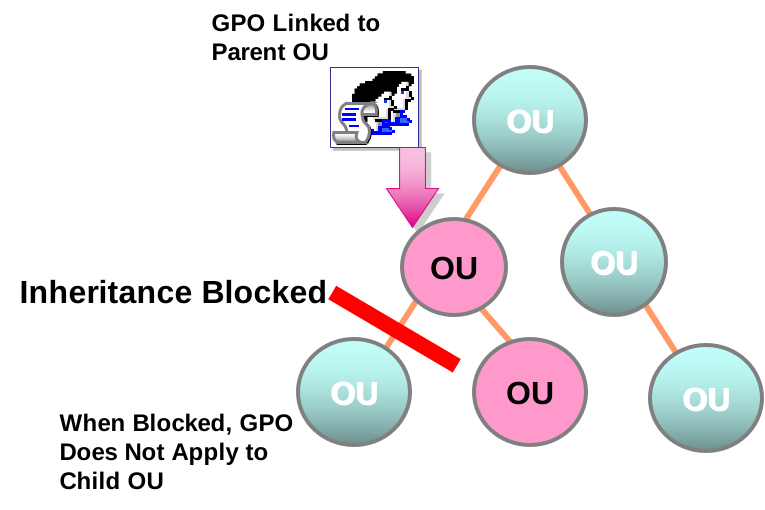
GPO Inheritance: Lower containers inherit GPOs from parent containers.
Block Inheritance: Prevents inherited GPOs from being applied.
Enforced GPOs: Forces GPO to apply, even if inheritance is blocked.
Group Policy Refresh
GPOs are refreshed every 90 minutes (with a random offset).
Can be forced manually using:
gpupdate /force
- Applying Group Policy at the Site Level
- Single Site GPOs Affect All Domains Within the Site Site
- Level GPOs Can Cross Domain Boundaries
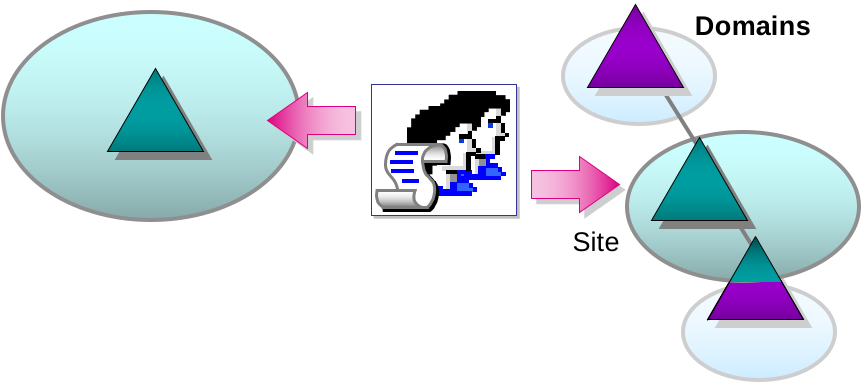
- Applying Group Policy at the Domain Level
- Single Site GPOs Affect All Domains Within the Site Site
- Level GPOs Can Cross Domain Boundaries
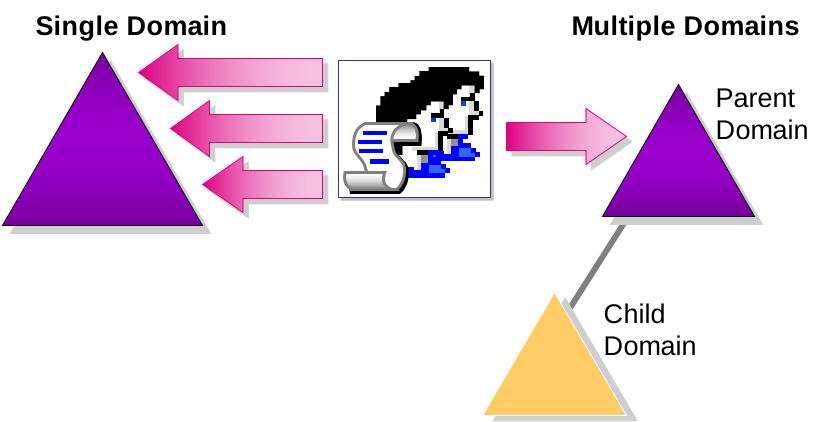
- Applying Group Policy at the OU Level
- In Single Domain, GPOs Affect Entire Domain and Cannot Be Delegated
- In Multiple Domains, Domain Level GPOs Do Not Affect Other Domains Unless Linked
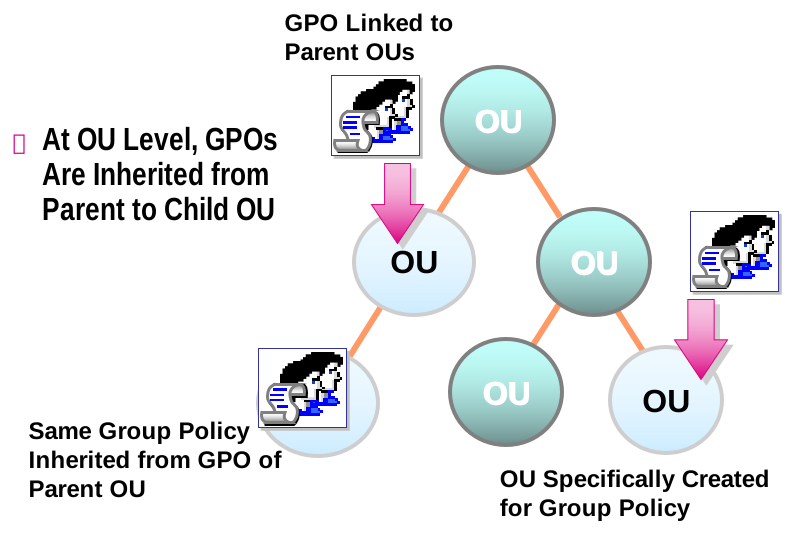
- Design Guidelines
- Create As Few GPOs As Possible
- Map Each GPO to a Single Site, Domain, or OU Container
- Avoid Linking GPOs Between Domains
- Minimize the Number of GPOs Applied to a User or Computer
Planning for Group Policy in Active Directory
Group Policy is a powerful tool for standardizing user and computer configurations across an organization. Proper planning ensures efficient policy deployment, avoids conflicts, and supports long-term IT strategy.
Key Planning Steps
1. Identify Business Requirements
What policies are needed? (e.g., password rules, application restrictions)
Are there compliance or security standards to meet?
Who will manage policies (central IT or delegated)?
2. Assess the AD Structure
Review existing OUs, Sites, and Domains
Determine how users and computers are organized
Decide where GPOs will be linked (Domain, Site, OU)
3. Define Policy Scope
Who should the policy apply to? (e.g., Sales OU, All Computers)
Will you use Security Filtering or WMI Filtering?
Do any policies conflict with others?
4. Develop a GPO Naming Convention
Use clear, consistent names like:
HR-LoginPolicyIT-SoftwareRestrictionsGlobal-DesktopSettings
5. Plan for Delegation
Define who can create, link, and edit GPOs
Use delegation of control carefully at the OU level
Avoid giving unnecessary permissions at the domain level
- Designing Group Policy to Meet Administrative Needs
- Strategy
- Delegate the Right to Create New GPOs Throughout Active Directory
- Delegate the Right to Modify an Existing GPO
- Delegate the Right to Link GPOs to a Site, Domain, or OU
- Directory-Enabled Applications Modify the Schema in Two Phases:
- 1. Schema Admins Perform the Schema Components Phase of the Install
- 2. Any Authorized Individual Can Complete the Install
- Prioritizing Application of Group Policy Objects
- GPOs Are Processed in Order of Priority
- Loopback Applies Group Policy to a Specific Computer
- Filtering Group Policy Objects
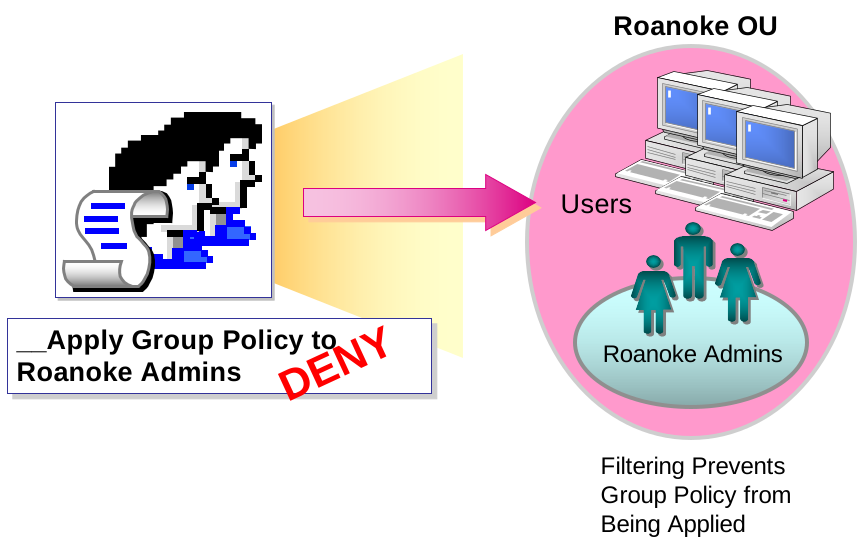
- Group Policy Inheritance and Blocking
- Optimizing Group Policy Performance
- Optimize Group Policy Performance Over Slow Connections by Adjusting:
- Slow Link Processing
- Periodic Refresh Processing
- Client Side Extensions
- Testing and Documenting the Group Policy Plan
- When Testing Group Policy:
- Use an Off-Line Test Environment
- Test During Off-Peak Hours if Testing Environment Is Not Available
- When Documenting Group Policy:
- List Name of GPO
- List Site, Domain, or OU Where Applied
- List Individual Settings List Special Settings
- Design Guidelines
- Disable Unused Parts of a GPO
- Reduce Need for Filtering By Creating Additional OUs
- Use the Block Policy Inheritance and No Override Features Sparingly

Add comment