
Module 3: DHCP Configuration in Windows Server 2019 – Step-by-Step Guide
Dynamic Host Configuration Protocol (DHCP) automates IP address allocation, minimizing manual configuration and ensuring efficient IP management. In Windows Server 2019, setting up a DHCP server simplifies network operations, especially in dynamic enterprise environments.
What You’ll Learn:
Installing the DHCP Server role
Creating and configuring scopes
Reserving IPs and managing leases
DHCP options and authorization
Best practices and security tips
Step-by-Step DHCP Server Configuration:
1. Install DHCP Role via Server Manager
Open Server Manager → Add Roles and Features → Select DHCP Server
Follow the wizard and complete installation
Post-installation, click Complete DHCP Configuration
2. Authorize DHCP in Active Directory
Required for domain environments
Authorize the DHCP server using a domain administrator account
3. Create a DHCP Scope
Define range of IPs to assign (e.g., 192.168.1.100–192.168.1.200)
Set subnet mask, lease duration, default gateway, DNS servers
Add reservations for printers, servers, or important devices
4. Configure DHCP Options
Option 003: Router (Default Gateway)
Option 006: DNS Servers
Option 015: DNS Domain Name
Option 066/067: PXE boot settings (optional)
5. Manage and Monitor DHCP Leases
View current IP leases
Set filters (allow/deny MAC addresses)
Configure conflict detection to avoid duplicate IPs
Best Practices for DHCP in Windows Server 2019:
Enable DHCP audit logging
Configure failover for high availability
Document static reservations
Use short lease durations in dynamic environments
Introducing DHCP
DHCP (Dynamic Host Configuration Protocol) is a network protocol used to automatically assign IP addresses and other network configuration parameters to devices (often called clients) on a network. This helps simplify network management by reducing the need for manual configuration of IP addresses for each device.
- Design Decisions
- Number of Hosts?
- Number of Subnets?
- Network Configuration?
- DHCP Features
- RFC Compliance
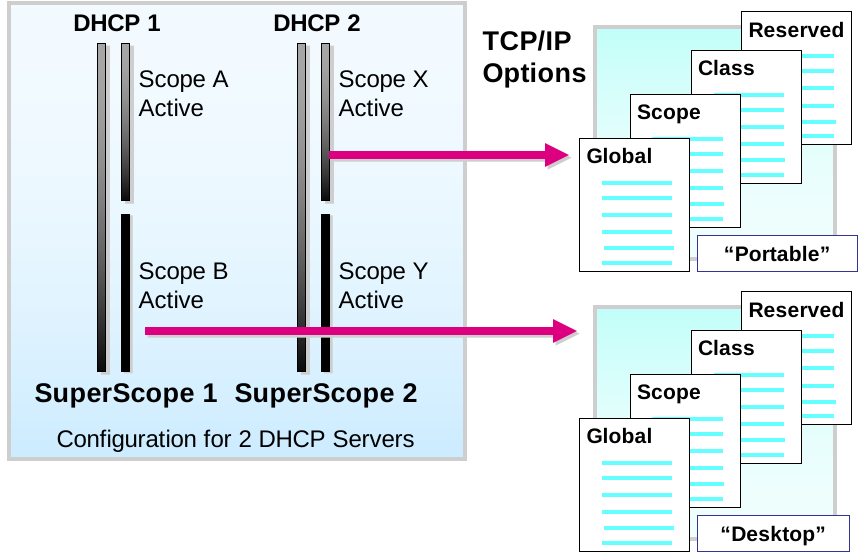
- Scopes
- Superscopes
- TCP/IP Options
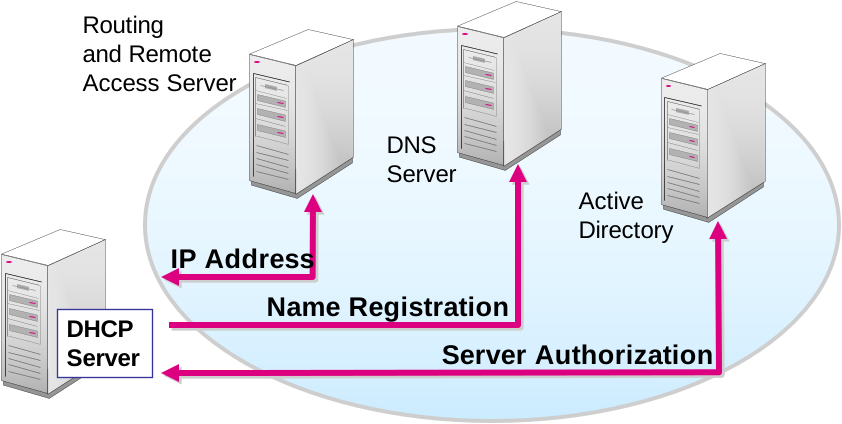
- DNS Integration
- Active Directory Integration
- Microsoft’s Vendor-Specific Options
- Microsoft Support for Multicast IP Address Allocation
- Integration Benefits
- Routing and Remote Access
- DNS
- Active Directory
Designing a Functional DHCP Solution
Designing a functional DHCP solution involves planning and configuring a reliable, scalable, and secure IP address management system within a network. A well-designed DHCP infrastructure ensures automatic IP allocation, minimizes address conflicts, and supports efficient client configuration.
Key Components to Consider:
DHCP Scope Design: Define IP ranges, exclusions, and lease durations per subnet.
Redundancy & Failover: Deploy multiple DHCP servers with failover clustering for high availability.
Security Policies: Limit unauthorized access using MAC filtering and DHCP snooping.
Integration with DNS: Enable dynamic updates for seamless name resolution.
Best Practices:
Use short lease times in dynamic environments (e.g., guest Wi-Fi).
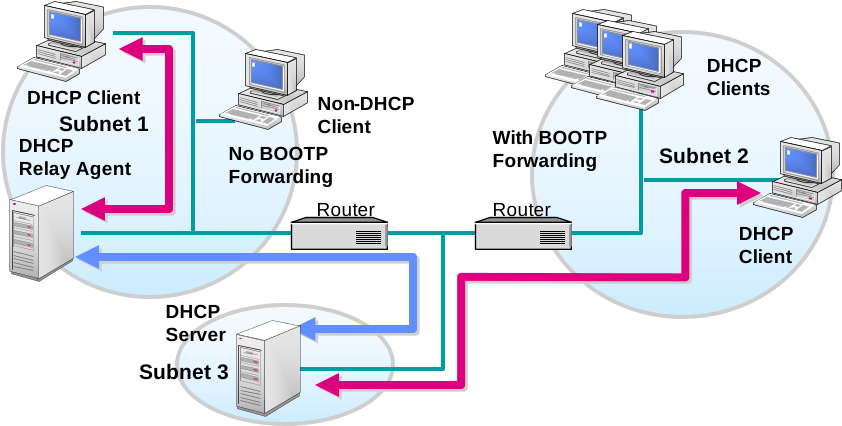
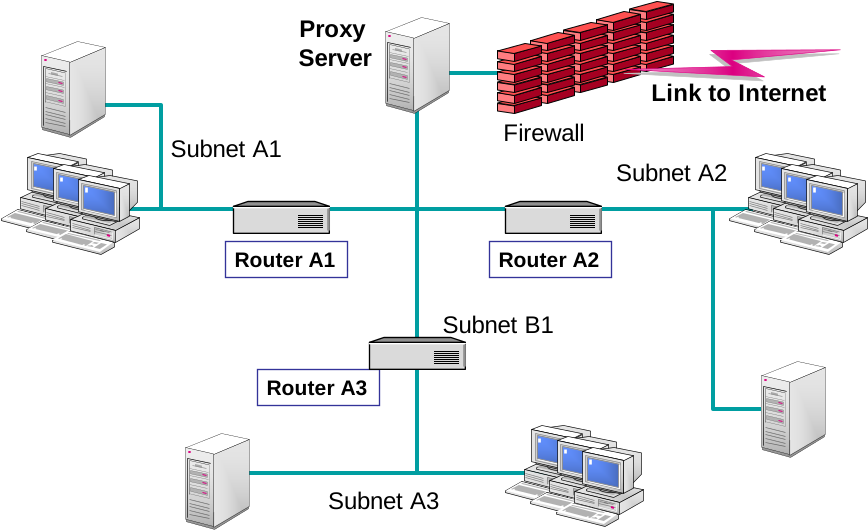
Implement DHCP Relay Agents for multi-subnet support.
Regularly monitor address usage and scope saturation.
- Designing a DHCP Service for a LAN
- Server Placement
- LAN TCP/IP Options
- Designing a DHCP Service for a Routed Network
- DHCP Relay Agent
- DHCP Server Placement
- Providing DHCP Service to Non-Microsoft Hosts
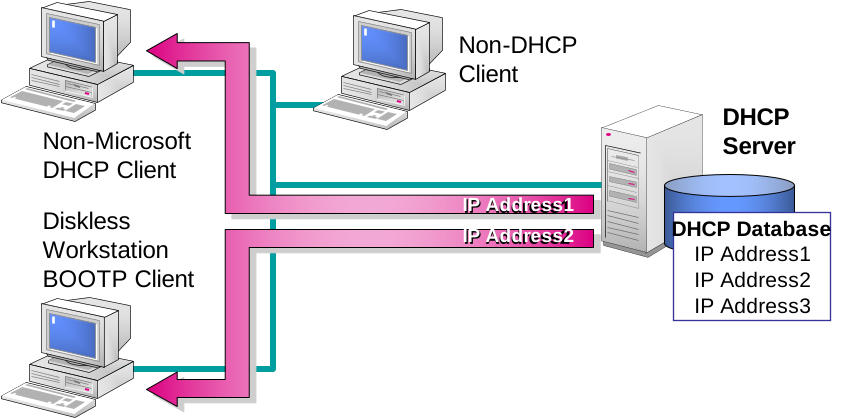
- Non-Microsoft DHCP Clients
- BOOTP Clients
- Non-DHCP Clients
- Discussion: Evaluating DHCP Functional Requirements
Securing a DHCP Solution in Windows Server
Securing a DHCP solution involves implementing strategies to protect the IP address distribution process and prevent unauthorized access or attacks on your network infrastructure.
Core Security Measures:
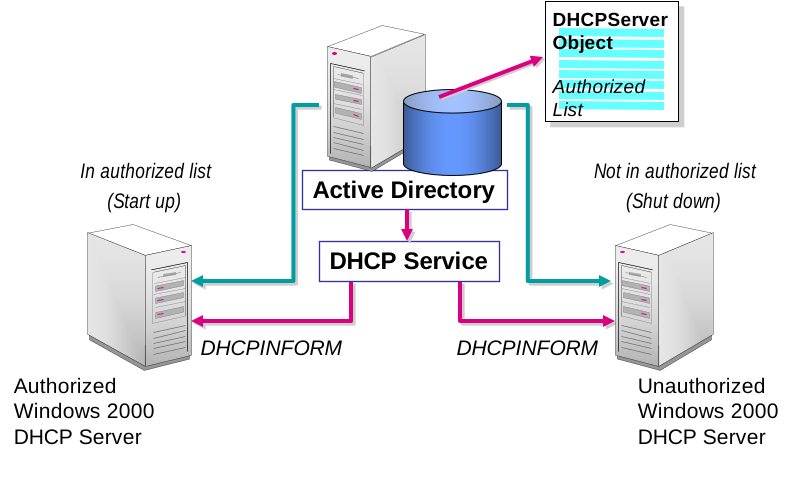
Enable DHCP Snooping: Prevent rogue DHCP servers by allowing only trusted ports to send DHCP offers.
Use MAC Address Filtering: Limit IP leases to approved devices.
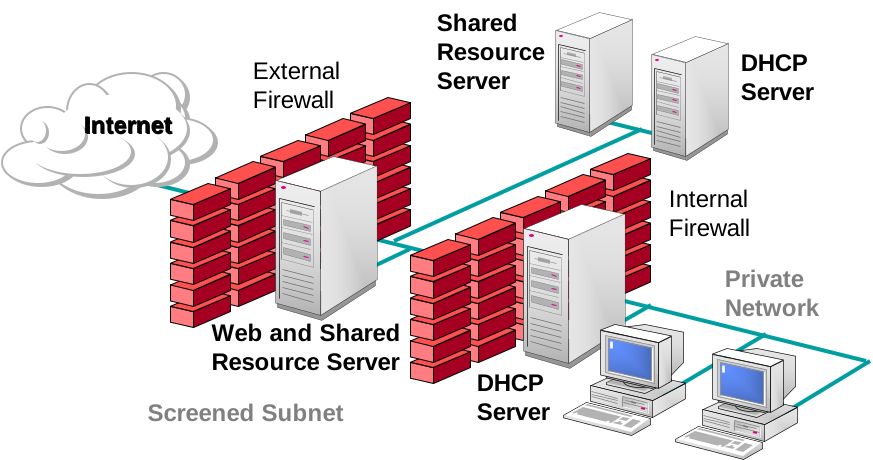
Restrict Access to DHCP Server: Secure the server using firewalls, role-based access control (RBAC), and strong administrative credentials.
Implement Network Segmentation: Separate DHCP services from other critical services using VLANs.
Best Practices:
Regularly review and audit DHCP logs.
Keep Windows Server and DHCP role updated with patches.
Disable unused scopes and deauthorize old DHCP servers from Active Directory.
- Securing the DHCP Service
- Authorize DHCP Servers in Active Directory
- Using Windows 2019 Groups to Secure Management
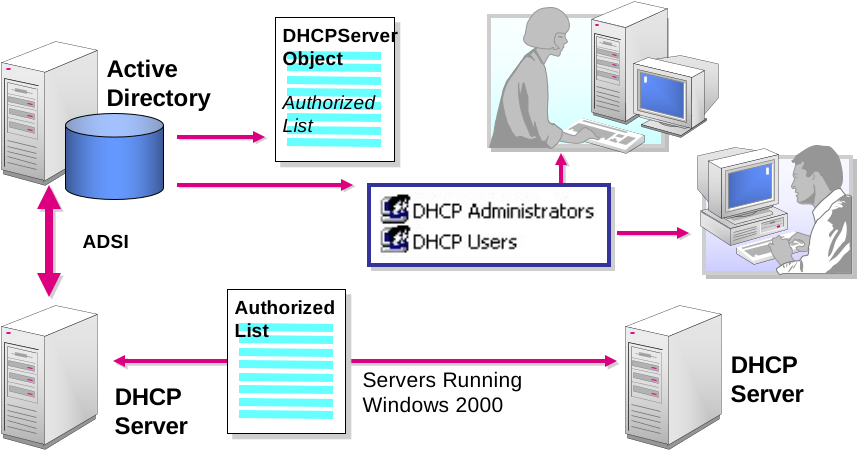
- Preventing Unauthorized DHCP Servers
- Using DHCP Servers in Windows
- Authorizing DHCP Servers in Active Directory
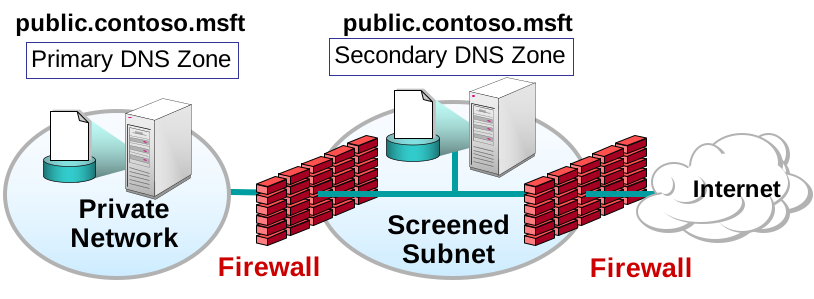
- Using DHCP in Screened Subnets
Enhancing a DHCP Design for High Availability (Windows Server 2019/2022)
To ensure uninterrupted IP address allocation, a DHCP infrastructure must be designed with high availability in mind. This prevents network outages in case of DHCP server failure.
High Availability Strategies:
DHCP Failover Configuration:
Use Load Balance Mode to share lease distribution between two servers.
Use Hot Standby Mode to assign one server as primary and the other as backup.
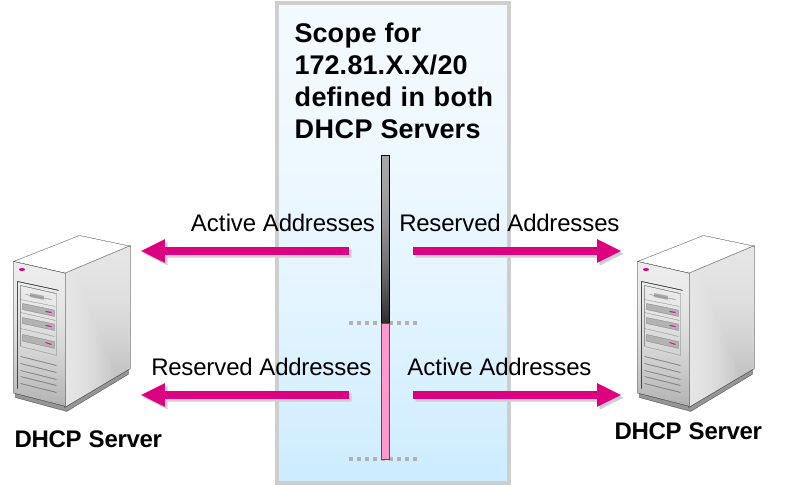
Split Scope DHCP:
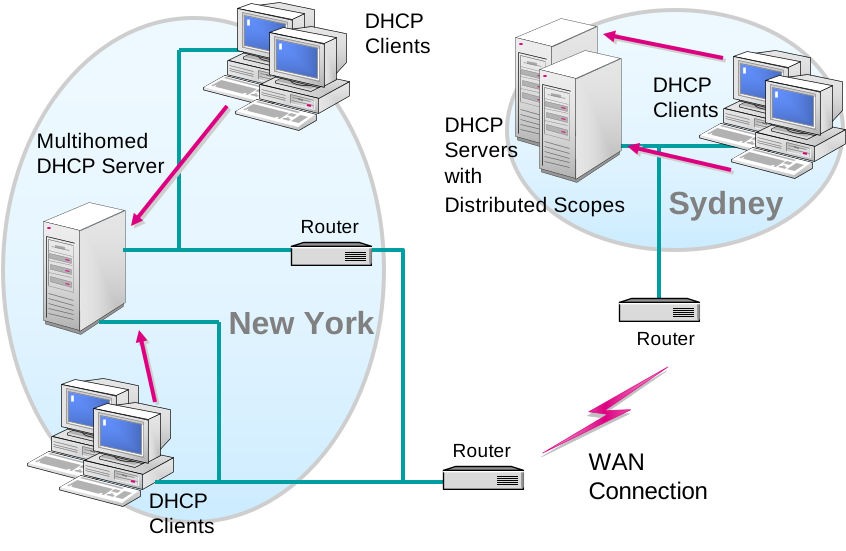
Distribute IP address ranges across two servers (e.g., 80/20 rule) to balance load and redundancy.
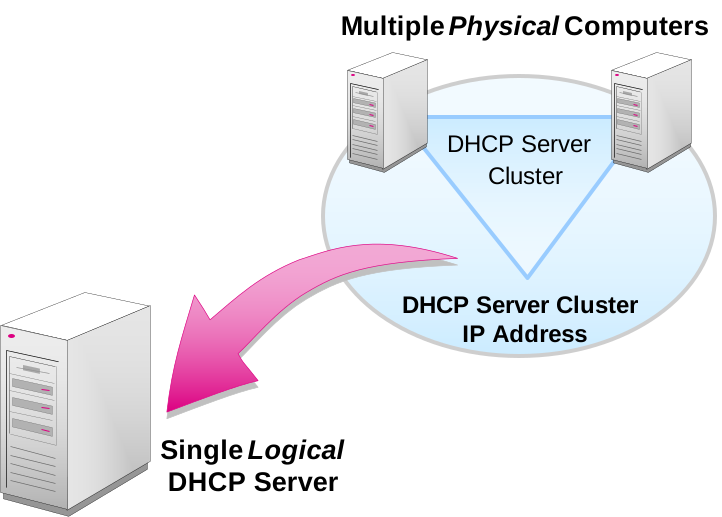
Server Clustering:
Use Windows Server Failover Clustering (WSFC) to cluster DHCP roles for continuous service.
Multiple DHCP Servers per Site:
Deploy redundant DHCP servers across critical network segments or branch offices.
Implementation Best Practices:
Regularly monitor lease statistics and server health.
Configure alerting for DHCP service failures.
Document failover scopes and test failover regularly.
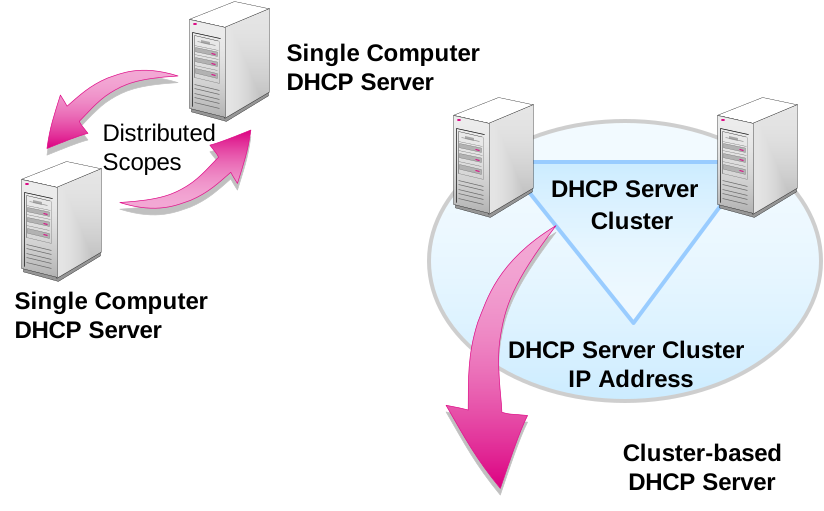
- Enhancing DHCP Availability with Distributed Scopes
- Enhancing DHCP Availability with Windows Clustering
- Discussion: Evaluating DHCP Availability Requirements
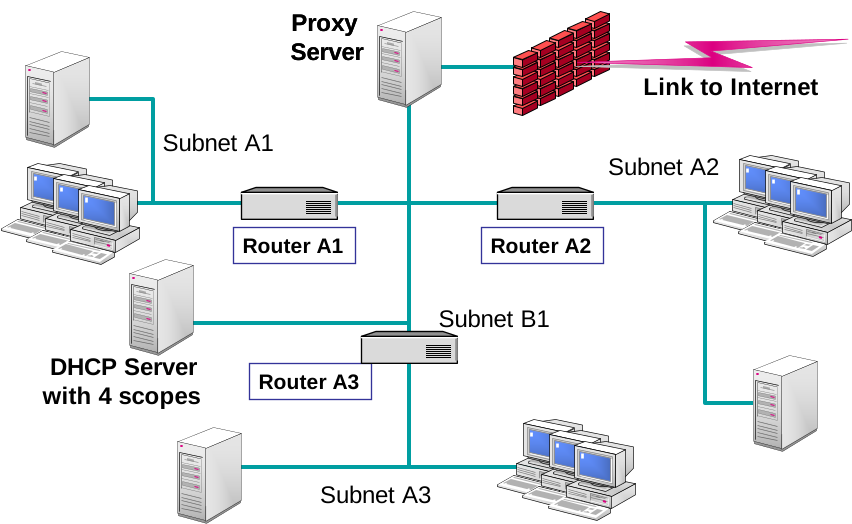
Enhancing a DHCP Design for Performance (Windows Server 2019/2022)
Boosting DHCP server performance ensures faster IP address allocation, reduces network latency, and improves overall client connectivity experience in enterprise environments.
Key Performance Optimization Strategies:
Use High-Speed Storage:
Install DHCP on servers with SSDs to reduce lease database read/write delays.
Enable DHCP Name Protection:
Prevents DNS registration conflicts and reduces unnecessary traffic.
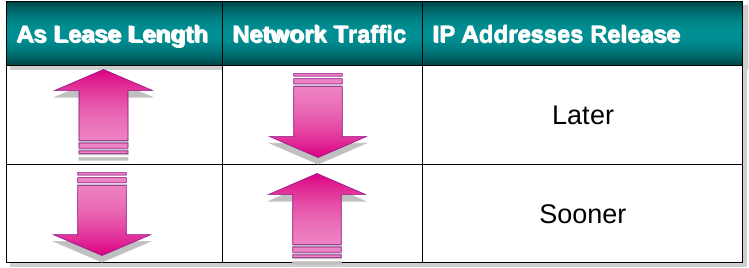
Adjust Lease Duration:
Use shorter leases in dynamic environments (Wi-Fi, guest VLANs).
Use longer leases in stable networks to reduce DHCP broadcast traffic.
Optimize DHCP Server Placement:
Place servers close to clients or use DHCP Relay Agents to minimize broadcast domains.
Enable Database Backup and Compaction:
Schedule periodic database maintenance using
jetpack.exeto improve lookup speed.
Avoid Overlapping Scopes:
Prevents delays caused by duplicate responses and address conflicts.
Use Multiple DHCP Servers with Load Balance Mode:
Distribute the request load evenly and avoid congestion on a single server.
Best Practice Tips:
Monitor server CPU/RAM utilization via Performance Monitor.
Analyze DHCP traffic using tools like Wireshark.
Automate IP management with IPAM for large enterprise environments.
- Enhancing DHCP Performance of a Single Server
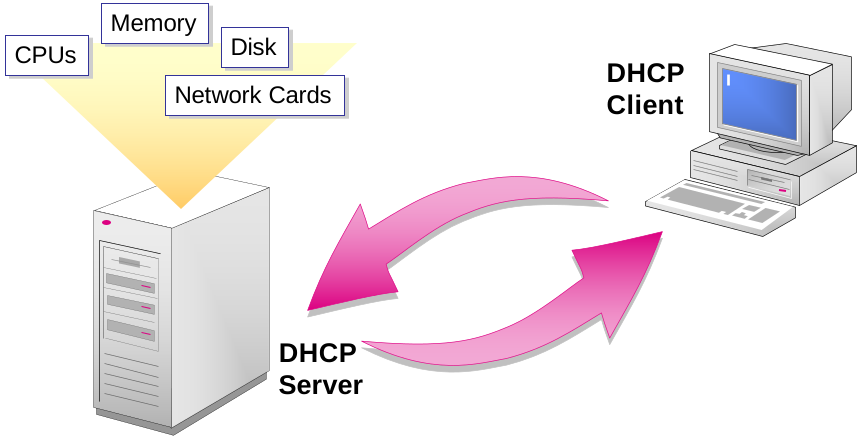
- Multihomed DHCP Server
- Improving DHCP Server Response Times
- Enhancing DHCP Performance by Using Multiple Servers
- Improving DHCP Performance by Modifying Lease Length
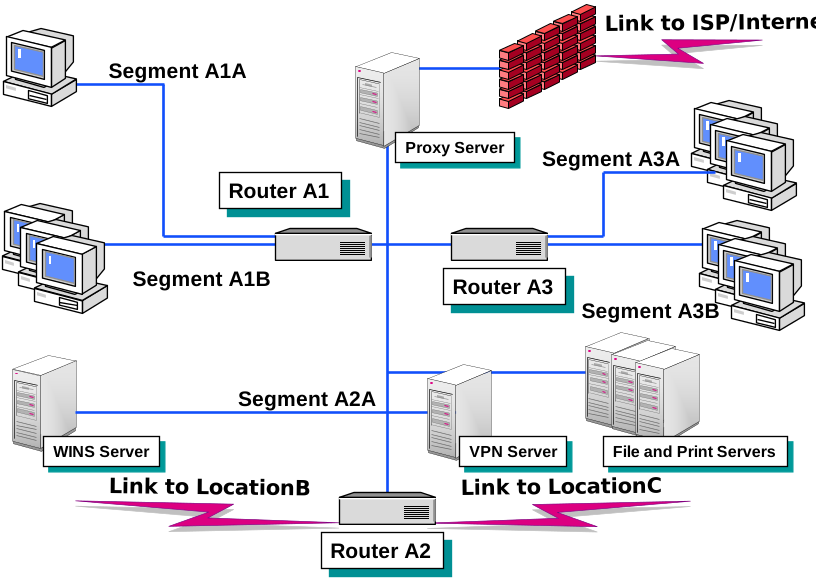
- Entire Network Configuration
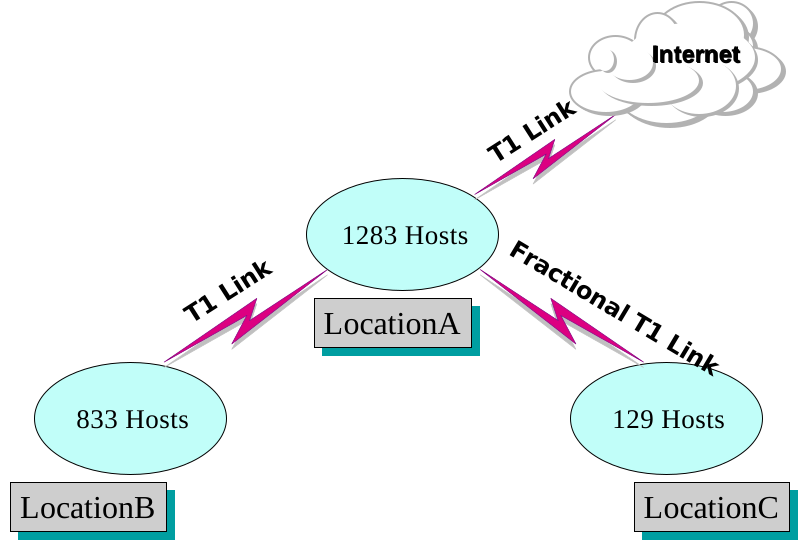
- Location A Network Configuration
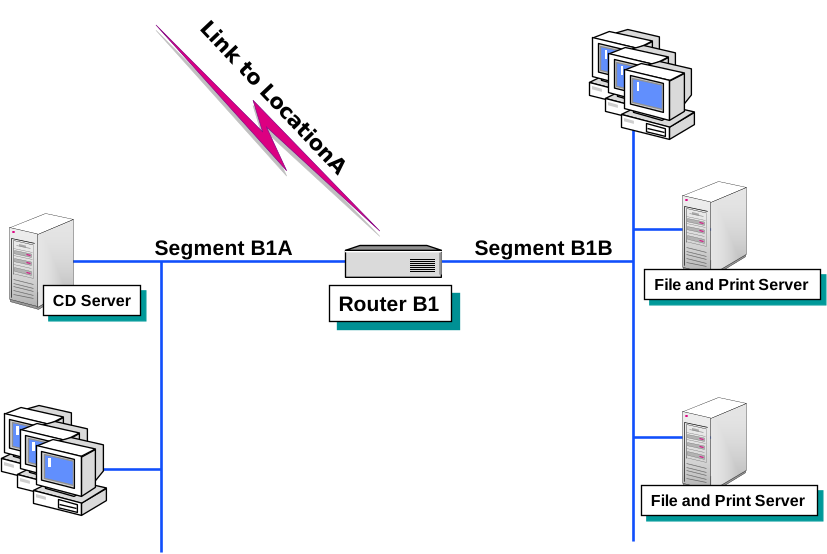
- Location B Network Configuration
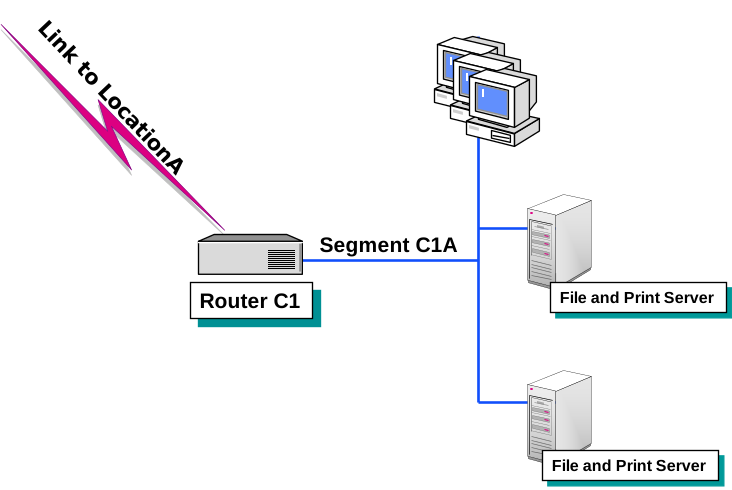
- Location C Network Configuration
Add comment