Module 8: Manage Desktop Environments Using Group Policy in Windows Server 2016/2019
Introduction to Group Policy in Microsoft Windows Server
Group Policy (GP) is a powerful feature of Microsoft Windows that allows administrators to centrally manage and configure operating systems, applications, and user settings within an Active Directory (AD) environment. It is a critical tool for IT administrators to enforce organizational policies, enhance security, and standardize user and system configurations.
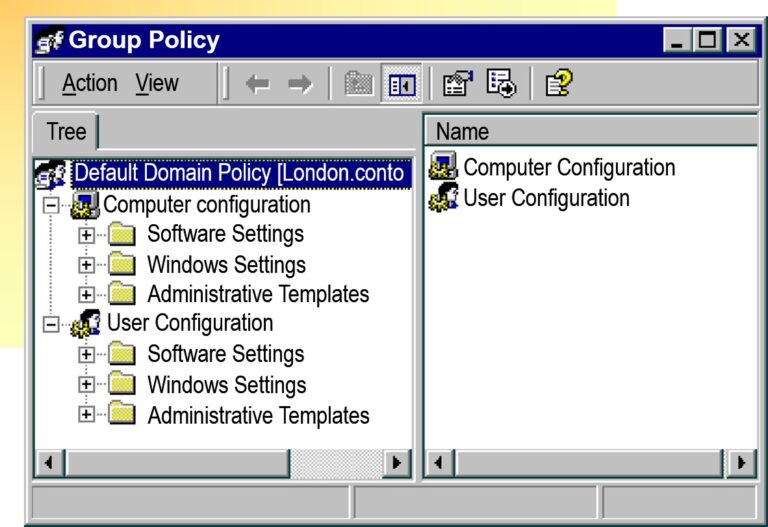
Group Policy Settings
IntelliMirror Technology
Establish Enforceable Configurations
Specify Settings for:
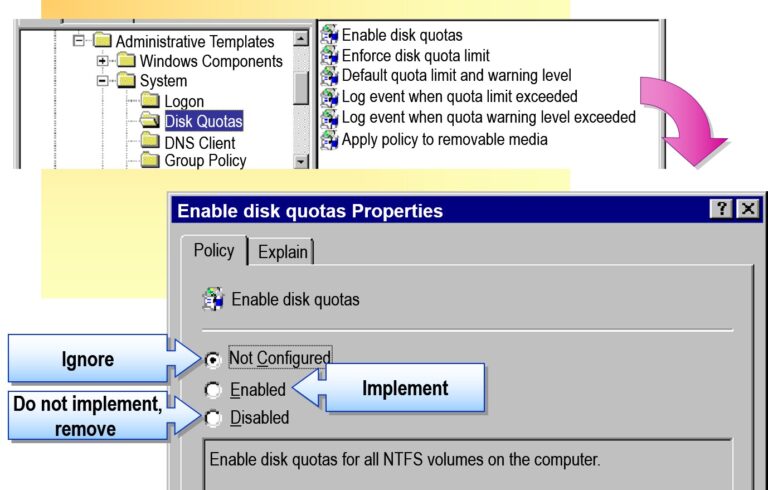
Administrative Templates
Security
Software Installation
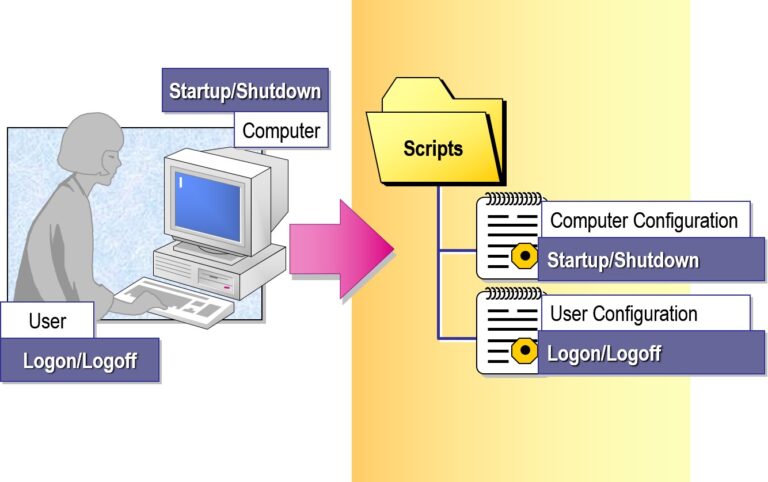
Scripts
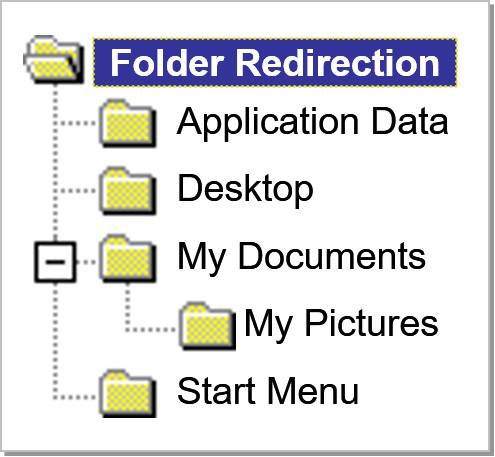
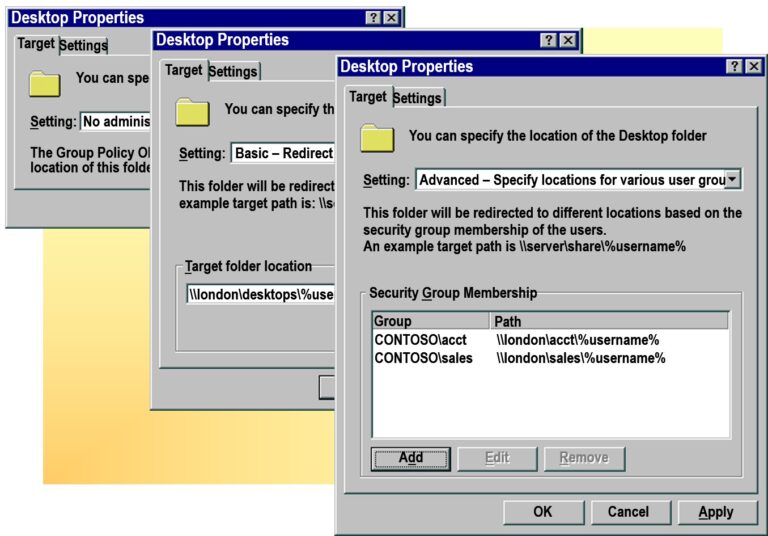
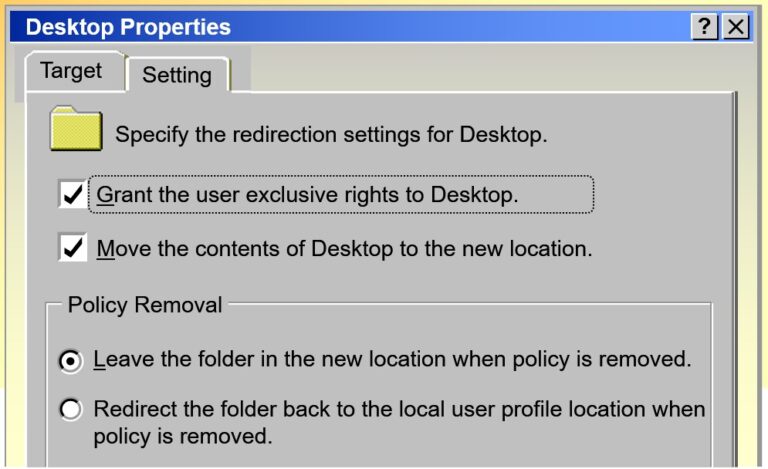
Folder Redirection
Registry-based policy settings
Options for local, domain, and network security
Central management of software installation
Startup, shutdown, logon, and logoff scripts
Store users’ folders on the network
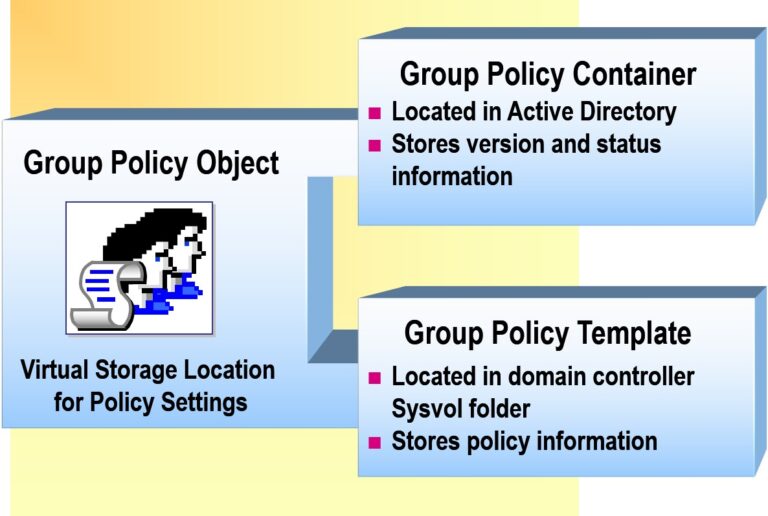
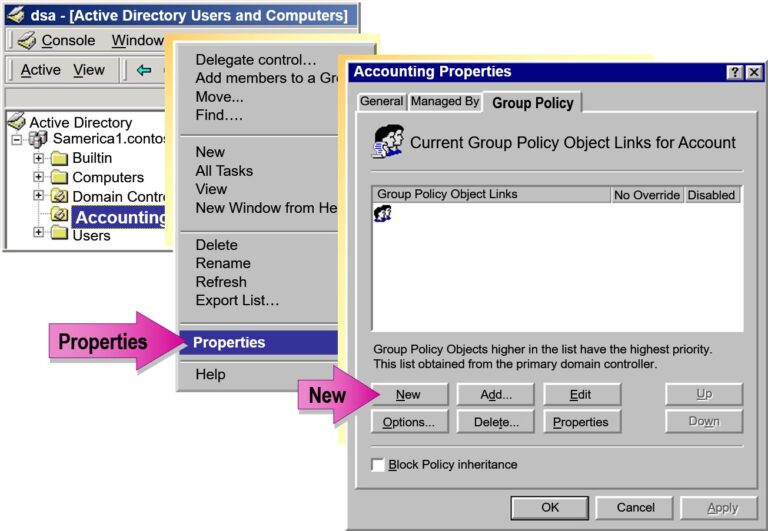
Group Policy Objects
Applying Group Policy
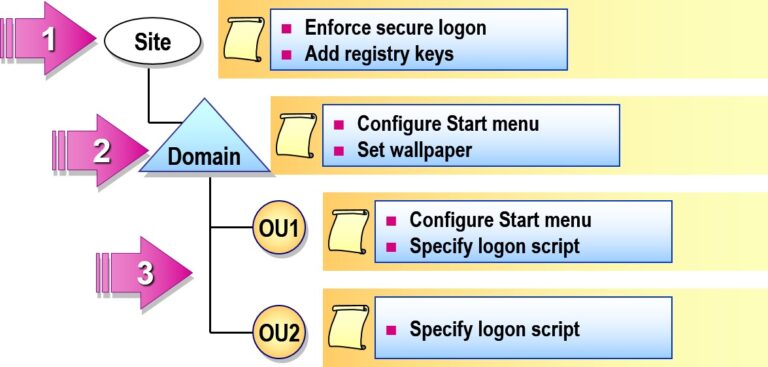
Inheritance of Group Policy in Active Directory
All domains in the site receive the same security settings
Accounting receives their own Start menu and the Domain wallpaper
OU1 and OU2 receive unique logon scripts
Resolving Conflicts and Modifying Inheritance
Resolving Conflicts
Child Not Configured = Parent Settings Apply
Child Configured, Compatible = Both Settings Apply
Child Configured, Not Compatible = Child Settings Apply
Modifying Inheritance
No Override
Block Inheritance
Processing Group Policy Objects
Windows 10 and 11:
Applies Computer Settings from Group Policy
Startup Scripts Run
Applies User Settings from Group Policy
Logon Scripts Run
Group Policy Refreshes on Client Computers Every 90 Minutes and on Domain Controllers Every 5 Minutes

Add comment